Kiosks, web or mobile: which does a shopping centre map need?
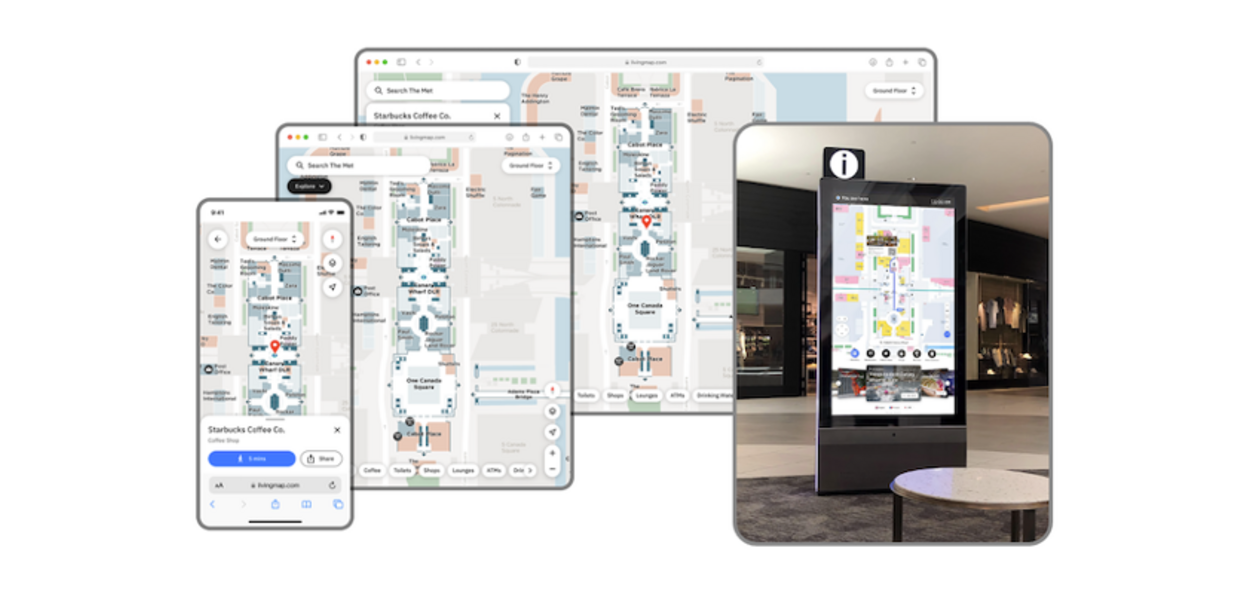

Most shopping centres benefit from a blend of screens on totems, wall-mounted screens, tablet-like screens and maps visible on visitors' mobile phone. Phones reach visitors before they arrive and wherever they are in the centre, while screens serve the people who would rather not use a phone and work as landmarks they can see from across a concourse.
What matters more than the mix is that screens and phones show the same map, and that your team looks after one map rather than several. Separate maps for each channel fall out of step with each other, and it is visitors who find out which one is wrong.
What do screens do well?
A screen is visible. It stands in a busy part of the centre, it suits visitors who would rather not use a phone, and it gives people somewhere to stop and look at the map properly.
To decide where screens belong, ask your customer service, security and front-of-house teams what visitors ask most, and where. Those are the places to put them.
Trafford Centre rolled out 10 digital wayfinding screens in high-traffic areas. Gemma Ward, its Head of Marketing, explains in the Trafford Centre case study how the upgrade lets the centre implement changes quickly.
But not all projects and roll-outs are that large! Each centre is different and the solution needs to fit the specific requirements of the location.
What do phones do well?
A phone is already in the visitor’s hand. A web map works before the visit, when someone is deciding where to go, and during it, from wherever they are standing. Nothing needs downloading: the map opens in the phone’s browser.
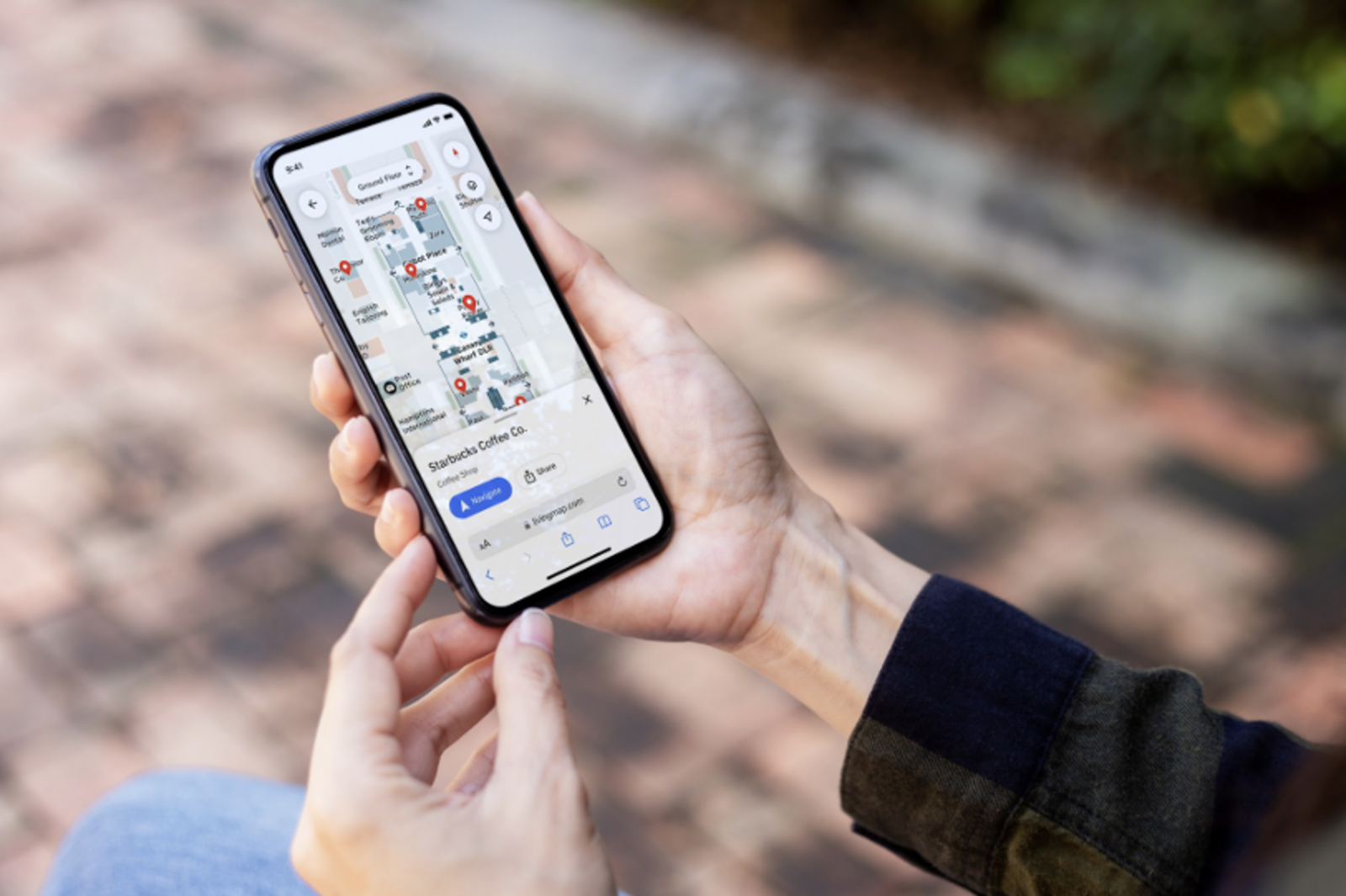
Gavin Prior, Centre Director at Metrocentre, said at launch in January 2025: “The Living Map technology, and the ability for shoppers to use their own phones for navigation, has greatly improved the experience for visitors enabling them to discover more of what our centre has to offer.”
Why is a web map the quickest place to start?
Screens are hardware. They need a place, power, looking after and, eventually, replacing. A web map needs none of that, and it can be linked from your website and put behind QR codes as soon as it is live. A route is held in the map’s web address, so it can be shared by link or QR code.
The Metropolitan Museum of Art in New York runs its visitor map as a web map at maps.metmuseum.org, linked from the museum’s website, and visitors need no app. The Met case study covers how visitors and front-line staff use it.
Starting on the web also leaves the decision on screens until you have seen the evidence. Anonymous usage analytics show what visitors search for on the map, in their own words.
How do you keep screens and phones showing the same map?
Run one map, not one per channel. Living Map delivers a map to kiosks, mobile and web, and clients manage it through the Map Management System (MMS). The Living Map team can take on some or all of the updates if that suits you better. How the work is shared depends on your own resources and how often the map needs to change.
Whoever you buy from, ask the same question: when a unit changes, how many places do we have to change it? Nick Jeffery, who heads up Operations at Living Map, said in a July 2026 interview: “A static map quickly becomes a liability.”
The centre’s team can also promote offers and events on the map through pop-ups, such as a food and drink offer or extended shop opening. Visitors see them while they are looking at the map to decide where to go.
Coming to the end of a screen contract? Ask these first
Renewing like for like may be the right call. Before you sign, ask your current supplier:
- Who owns the screens, the map data and the drawings?
- What is the notice period, and what happens to your content when the contract ends?
- Is there a map for phones too, and is it the same map as the one on the screens?
- When a unit changes, who updates the map, and where does the change show?
- What does it cost to keep the screens running, and what does the fee include?
Our digital wayfinding FAQ answers other questions we hear often.
Read the Trafford Centre case study to see how one centre rolled out its screens. If your screen contract is up for renewal, talk to us before you sign like for like.
Request a demo
Experience the power of our mapping, wayfinding, and asset tracking technology for yourself. See how our software can enhance your facility.